Automation network structure from PLC to the I/O modules
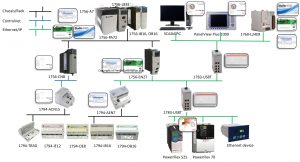
Picture 1: Allen Bradley automation network structure
Firstly, we need to separate 2 type of module base on location are LOCAL and REMOTE
What is the local module? The local module is the module on the same chassis with CPU
And the remote module is not on the same chassis with CPU, can be in the same cabinet with CPU or another cabinet on site
The brain of system – a PLC CPU, in pucture 1 there is 1 CPU 1756-L83E,with an Ethernet port.
And we need a chassis that is the backplane let all local module connect together, the model of chassis is 1756-A7 with 7 slots
On this chassis we need a power supply for all local module, use the model is 1756-PA72 for example
For local I/O modules, put 2 modules, first is digital input 1756-IB16 and digital output 1756-OB16, it is similar with analog input
That is the local I/O module, now we come to the remote I/O module
For remote I/O, we have 2 protocols to communicate are ControlNet and Ethernet/IP
For ControlNet, we need a ControlNet Bridge model 1756-CNB, this module is installed in the same chassis with PLC CPU and in the control cabinet on site, we have a ControlNet Adapter module 1794-ACN15. To connect these 2 modules we use the ControlNet cable
And from the ControlNet Adapter module we connect the I/O module into the same rack, some I/O module we can use is analog input 12 channels 1794-IE12, analog output 8 channels 1794-OE8, digital input 16 channels 1794-IB16 and digital output 16 channels1794-OB16
And for each above module, we need a rack for it to connect with ControlNet Adapter, that rack we can use 1794-TB3G
For Ethernet/IP, we need a Ethernet/IP module 1756-EN2T installed in the CPU chassis, and in the control cabinet on site, we have a Ethernet/IP adapter 1794-AENT, and connection is Ethernet cable
And below layer, connect to Ethernet/IP adapter, we have the same with ControlNet Adapter
Next is for controlling the VSD and another Ethernet device: we need more Ethernet ports so we use a Ethernet switch, that switch you also can get supply from Rockwell Automation.
We can use the model: Stratix 1783-US8T
Then we connect the inverters, for example PowerFlex 525 and 70
Also Another Ethernet device, for example the weight scale transmitter
That is done for I/O and Ethernet device, next is SCADA
The SCADA we also connect to the PLC via Ethernet/IP protocol, so we use another switch. We connect the PLC CPU and SCADA PC to this switch like this.
Also the same with HMI or we can call PanelView, example PanelView Plus 1000
For DCS or project need to communication between 2 PLCs, for example between a controllogix 1756-L83E and a compactlogix 1769-L24ER, we also connect the second PLC to this network via Ethernet cable and switch.
In this network, there are 3 using connection protocols are: chassis/rack, ControlNet and Ethernet/IP
OK, that is an example of Allen Bradley automation network.
Watch in detail video: Allen Bradley automation network introduction